Find opportunities to grow your business with your clients’ upcoming RRSP to RRIF conversions
Submitted by Krishan on December 1, 2022 - 12:51pm
 Printer-friendly version
 PDF version
 | |
| | Insurance & Investments
Simple. Fast. Easy. |
|
|
| | | |
This new report in the Inforce Business Opportunities section provides a list of your active RRSP (registered retirement savings plan) and LIRA (locked-in retirement account) clients turning 71 within the current calendar year to allow you to discuss your client's options with them proactively.1 |
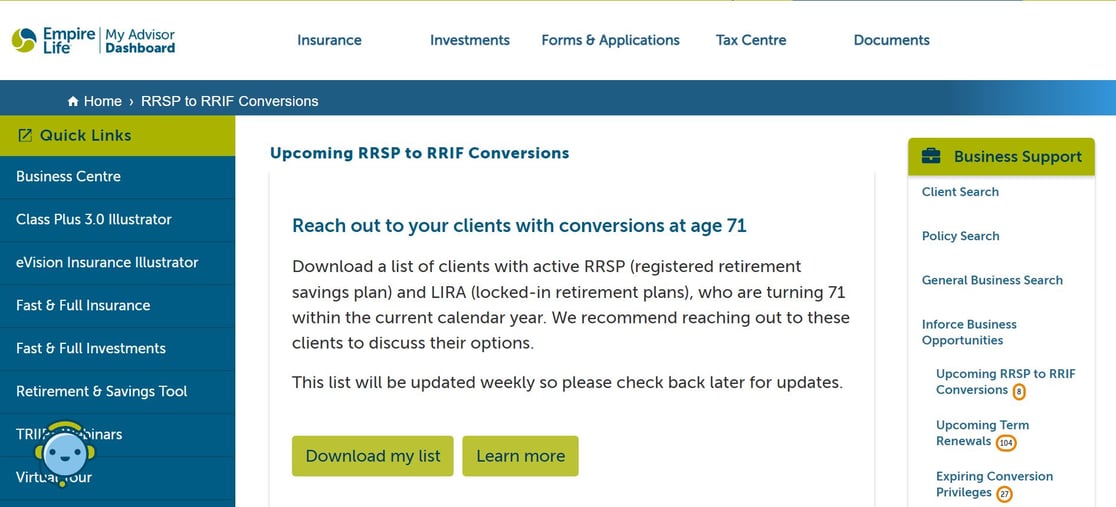
| Sample list Upcoming RRSP to RRIF Conversions: |
You can download this list with additional information, including the policy details (policy number, account type, product, current market value) and owner name. This .csv list will be refreshed weekly, so please check back regularly for updates. |

| Please know that the deadline to submit conversions is December 7th.
Use this list to reach out to clients with an upcoming conversion, discuss their needs, and provide them with options for their retirement planning. You can refer them to the "Planning for Retirement" guide for more information. As we continue our efforts to make doing business with your clients as efficient as possible, the RRSP to RRIF Conversion for Class & GIF Contracts form (INP-130A) is now available as a digital eSignature form. To check your Inforce Business Opportunities, log in to My Advisor Dashboard using the button below. |
|
|
| |
Still more to come! We will launch even more Inforce Business Opportunities later, so please log in to My Advisor Dashboard regularly for updates. |
|
|
My Advisor Dashboard can make your life easier Make the best use of your time and enjoy access to real-time application statuses and self-service transactions. We continue enhancing the My Advisor Dashboard with the features you have asked for. You can also use this tool to: - Check the status of new Insurance applications or resume saved Fast & Full applications.
- Change a client's address online.
- Access client, policy searches and popular reports from the Business Centre.
- Make segregated fund deposits online.
- Update beneficiary changes easily using the eSignature form D-0017.
- Make financial change requests online with the eSignature form C-0056.
- And much more...
Not registered yet? Go to My Advisor Dashboard and click “Register”. You will be prompted to create a username, enter your email address and create a password. You’ll receive an email confirmation with further instructions to follow. |
|
|
1 Excluding Concordia policies. |
|
|
FOR ADVISOR USE ONLY - NOT FOR DISTRIBUTION TO THE PUBLIC The information in this document is for general information purposes only and is subject to change without prior notice. Empire Life assumes no responsibility for any reliance made on or any inaccuracy in the information contained in this document. Policies are issued by The Empire Life Insurance Company. |
|
|